

The open-source agent platform for applications.
Your applications deserve agents.
Cuttlely gives your applications their own intelligent capabilities and coordinated agent teams. Start chatting with a team in minutes, then call it from your app through the API. It runs on infrastructure you control.
git clone https://github.com/cuttlely/cuttlely.git
cd cuttlely
docker compose up -d
- Open source under Apache 2.0
- Docker, Render or from source
- The demo shows a team at work in about a minute
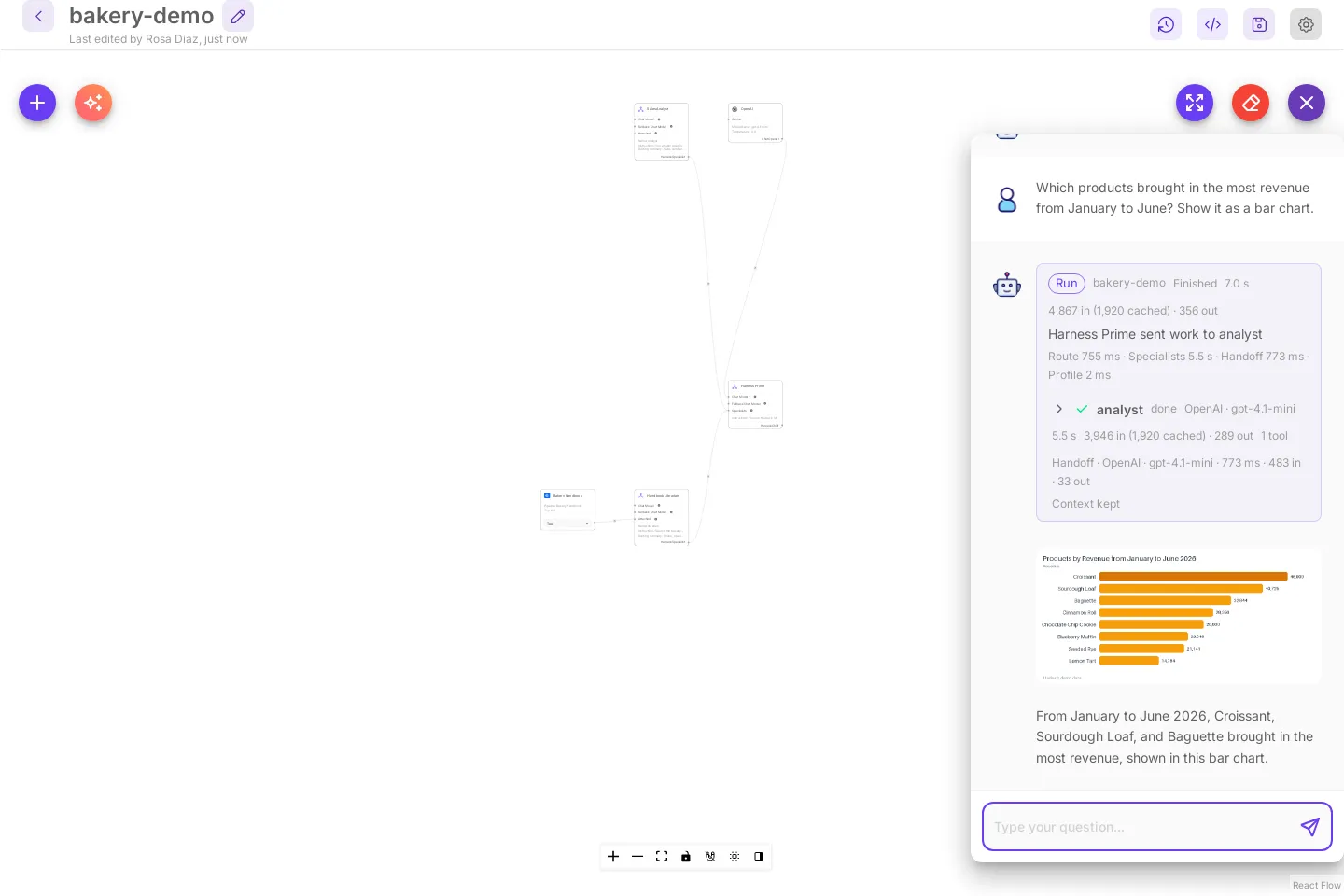
Chat with a team in minutes
New to agents? You do not need to write code. Add one model key and select Try the demo: a ready-made bakery team opens with its chat open. Ask the first starter question, and the run card shows Harness Prime sending the work to the analyst, then a bar chart with the numbers from a made-up sales database.
Your first 10 minutesHow a team works
Agent teams that power your apps
Give your app a team instead of a single prompt. In Cuttlely, an agent team is called a harness.
- Harness Prime splits each question. The lead agent reads the question, sends each part to the right specialist, and writes one answer.
- Specialists do the work. Each one can have its own model, tools, playbooks and data.
- The analyst brings the numbers. It queries real tables and hands back the actual numbers.
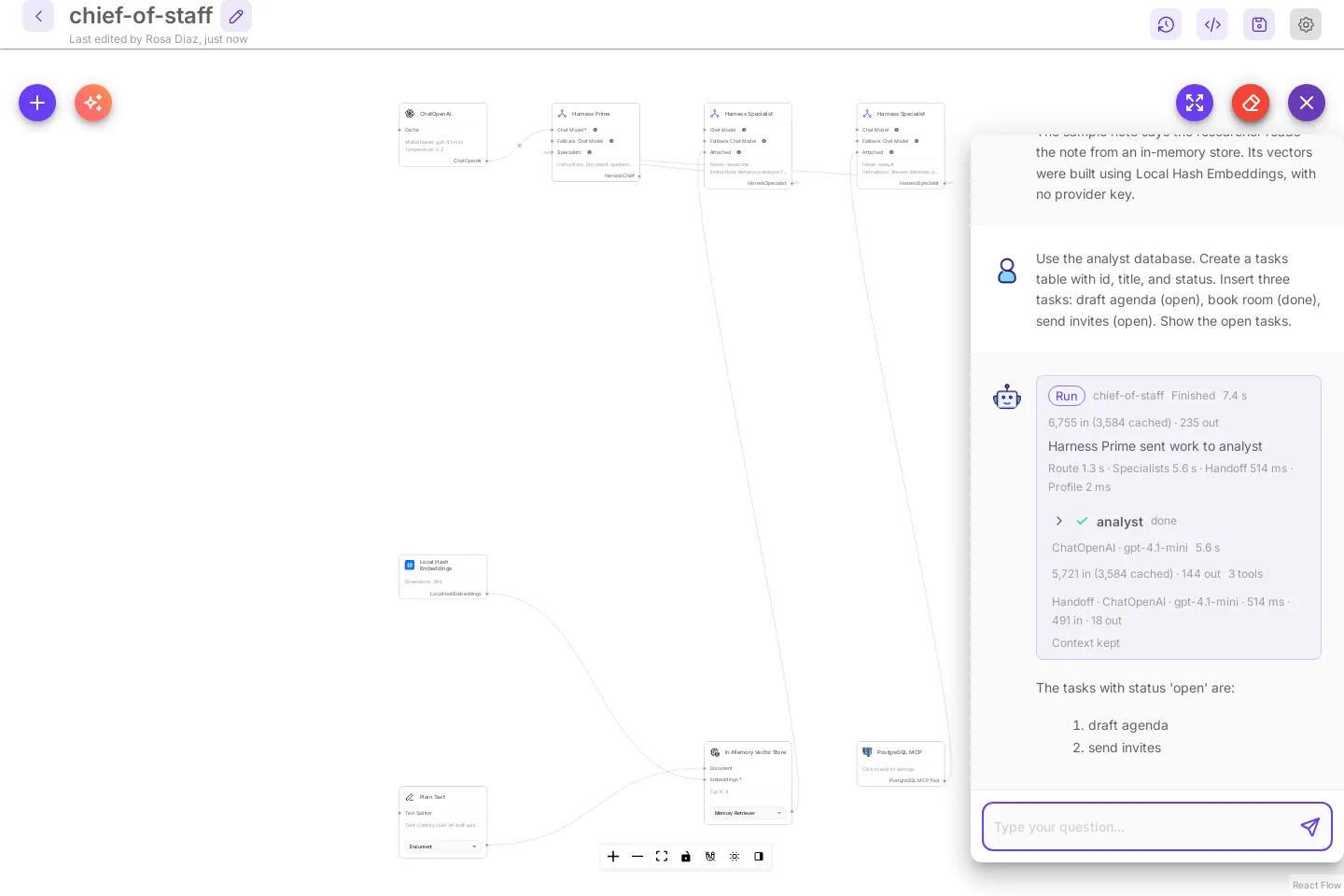
Call it from your app
Use a team from your app
Your app sends the team a question through the API and gets back one researched answer, a chart or an action. Here is a real call to a small bakery team with two specialists, baker and orders.
Request
curl -s http://localhost:43117/api/v1/prediction/<chatflow-id> \ -H "Authorization: Bearer $CUTTLELY_API_KEY" \ -H "Content-Type: application/json" \ -d '{"question": "How much are two croissants and a sourdough loaf, and can I pick them up on Monday?"}' \ | jq '{text, agents: [.agents[] | {name, task}]}'Response
{ "text": "Two croissants and a sourdough loaf cost $14.00. However, you cannot pick them up on Monday because the bakery is closed; pick up is possible Tuesday to Sunday from 7:00 to 15:00.", "agents": [ { "name": "baker", "task": "How much are two croissants and a sourdough loaf?" }, { "name": "orders", "task": "Can I pick up two croissants and a sourdough loaf on Monday?" } ]}Harness Prime split the question: baker priced the order and orders checked the pickup day. The full response also has the tokens, the timings, the sources and any images the team made.
Built in
Tools your teams use
Knowledge pipelines, visual workflows and Build with AI give your teams what they need.
 Knowledge pipelinesLoad files, a CSV or a code repository, clean and split them, embed them and store them for search. A run only embeds what changed.
 ChatflowsA chat model, the agent or chain that answers, memory and tools, on one canvas. Each chatflow gets a prediction API, an embed and a shareable link.
 AgentflowsWorkflows that run step by step and can start from a chat message, a form, a webhook or a schedule.
 The AnalystA specialist with its own database. It creates tables, adds rows and answers questions about them with the real numbers.
 Build with AIDescribe a team, an assistant, a pipeline or a workflow, and a first version lands on the canvas. Every part and connection is checked first.
 Share and embedA public link for any chatflow, and a chat button or full-page chat on your website, served by your Cuttlely server.
Ship changes safely
Draft, compare, publish, roll back
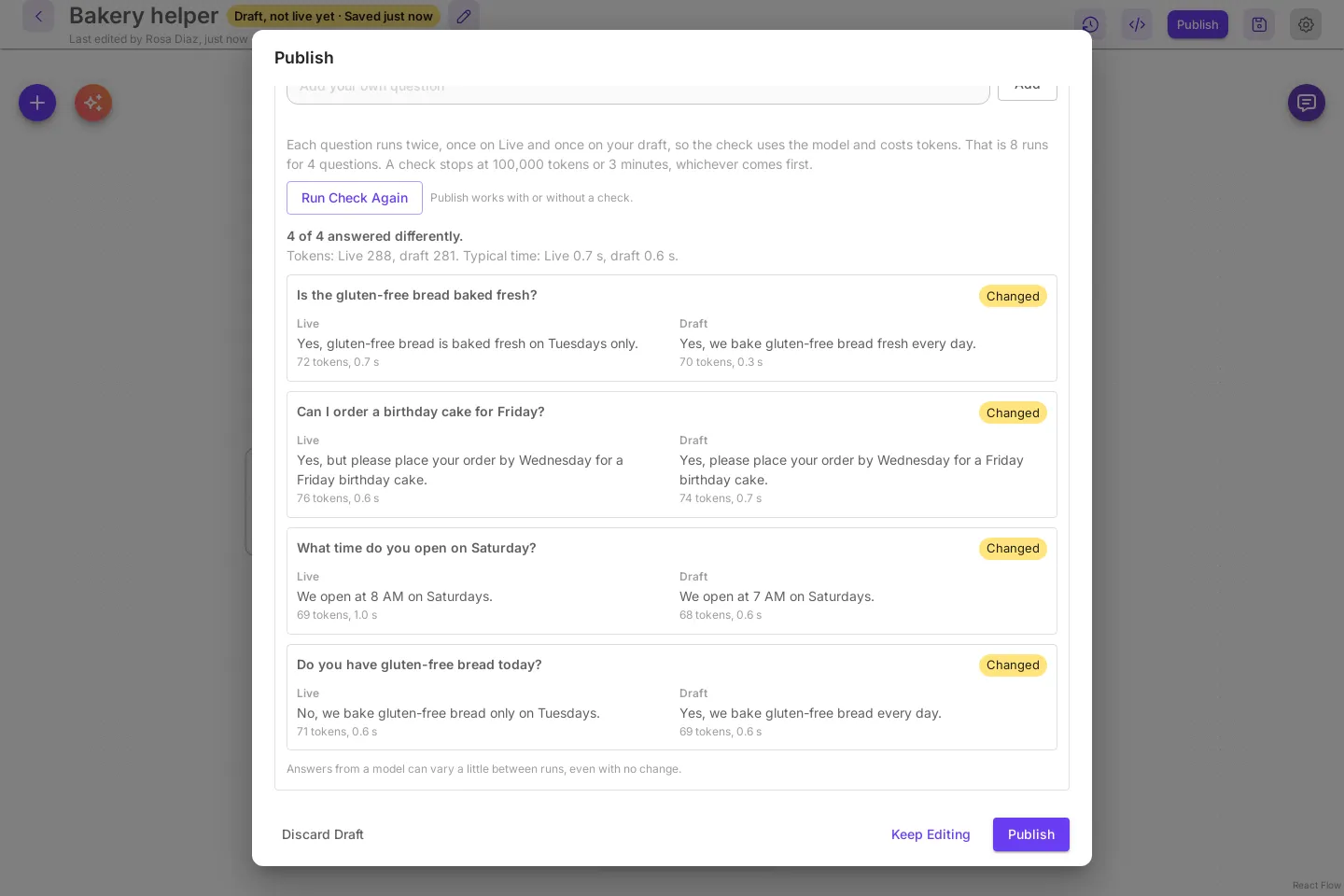
Changing an AI app that people already use should not mean testing on them. Cuttlely treats every change as a release.
- Drafts never touch Live. The API, embeds and shared links keep serving Live until you publish.
- Compare before you publish. Ask recent real questions again on Live and on your draft, and see both answers side by side.
- Every version is kept. Open an old version as your draft, or roll Live back to it, in one step.
- Promote from Dev to Prod. Prod shows what would change and goes Live only when its owner says so.
Run it your way
On your laptop, your server or Render
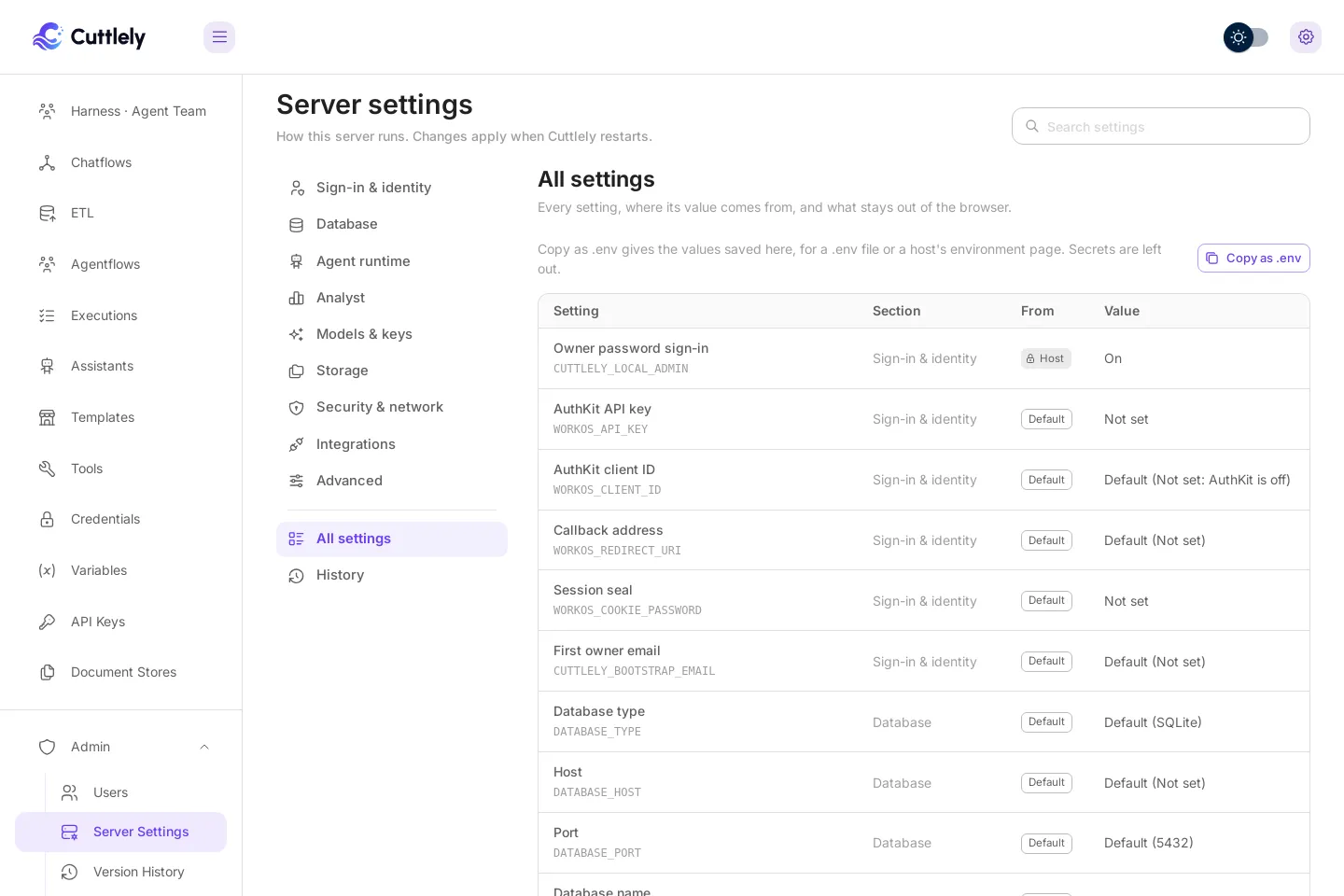
Change sign-in, the database, storage and more from Admin. People sign in with a password or WorkOS AuthKit.
- DockerThe install most people want. SQLite, one container.
- RenderA hosted install with Postgres, from the Blueprint in the repository.
- From sourceFor changing Cuttlely. Node 24 and pnpm.
Cuttlely does not report usage, check for updates or load fonts, scripts or images from other sites. What Cuttlely connects to
Bring your existing flows
Have flows from another tool? The Import menu checks an export and opens it on the right canvas.
What carries over
See an agent team at work.
Start Cuttlely, add one model key, and the bakery team answers with a chart.